iPhone - TaT Web App instructions


How to add the TaT Web App to your iPhone

Step #1. Launch Safari.

Step #2. Type tat.net.au into the top bar.

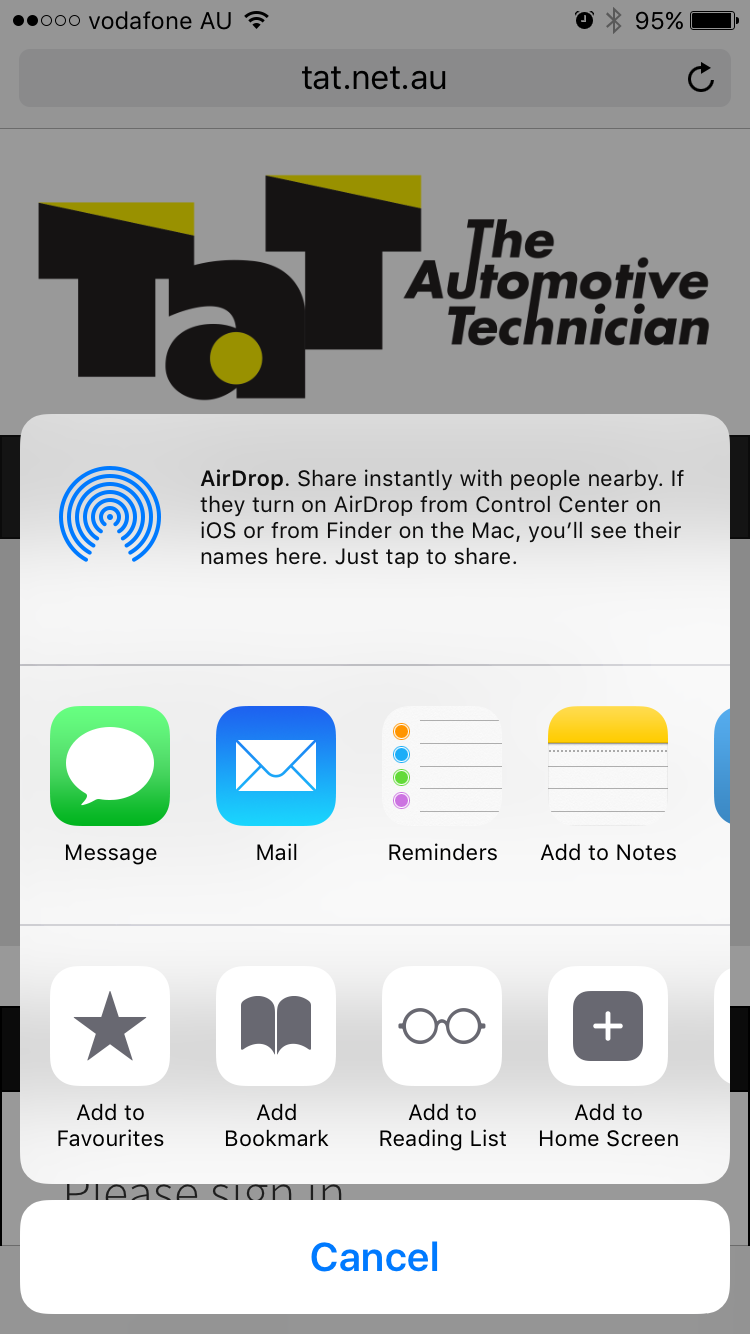
Step #3. Tap on the Share icon on the bottom of your screen.

Open Website in Safari on iPhone

Step #4. Tap on Add to Home Screen.

Tap on Add To Home Screen on iPhone

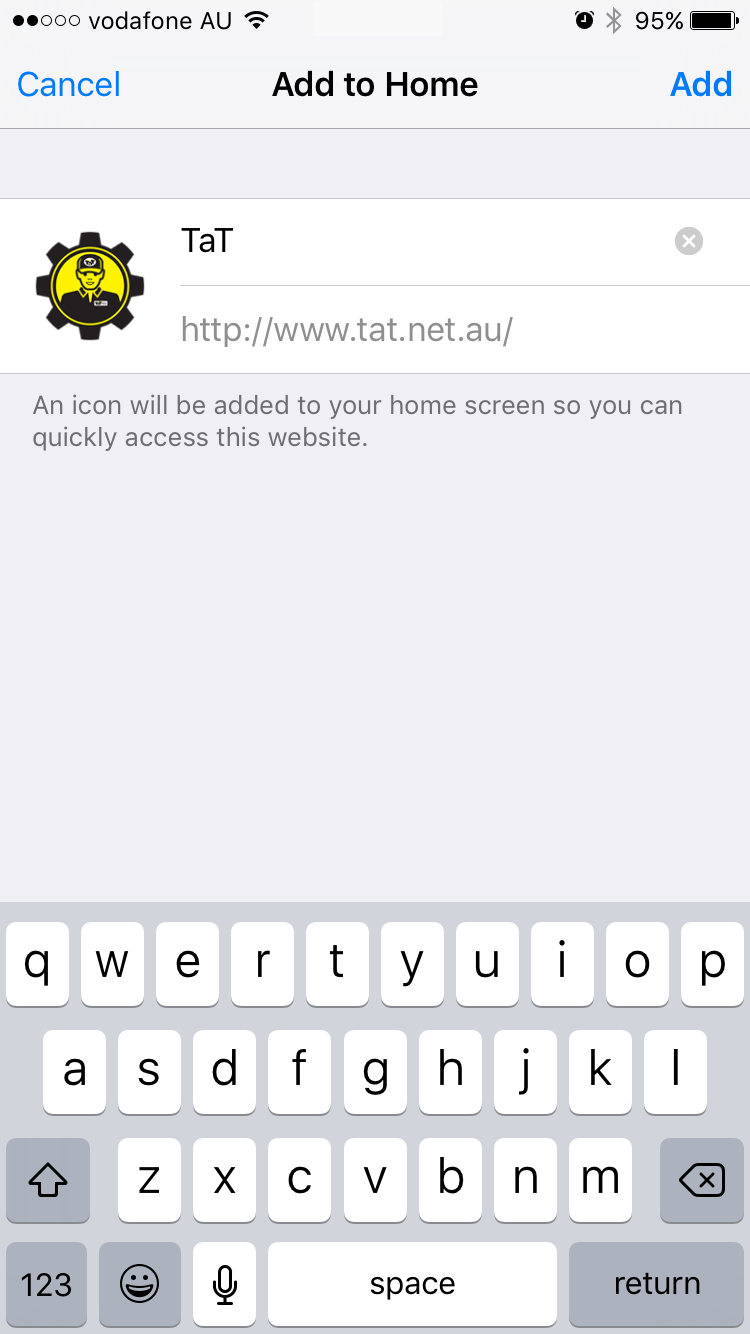
Step #5. Now, you can edit the name of the app as per your liking. Tap on Add from the top right corner to confirm.

Edit the app and add

Complete. That's it! From now onwards, you can use the TaT icon on your home screen to launch our App!